Build the event
Prepare event information, access options and ticket types. Review required fields and submit the campaign through the existing approval process.
SparkGlim Creator App
Create and manage ticketing, awards voting and fundraising from your phone. Stay close to campaign activity, connected event check-in and the tools your account is authorized to use.
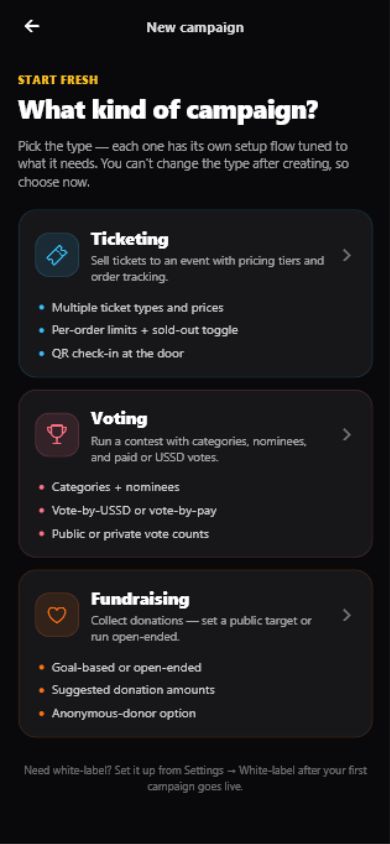
Start with the right campaign type. Each workflow keeps its own information, controls and review requirements.
Prepare event information, access options and ticket types. Review required fields and submit the campaign through the existing approval process.
Manage campaign categories, nominees and voting settings through the tools available to your role.
Prepare the beneficiary, campaign story, goal and donor fields. Track contributions and progress after the campaign is approved and active.
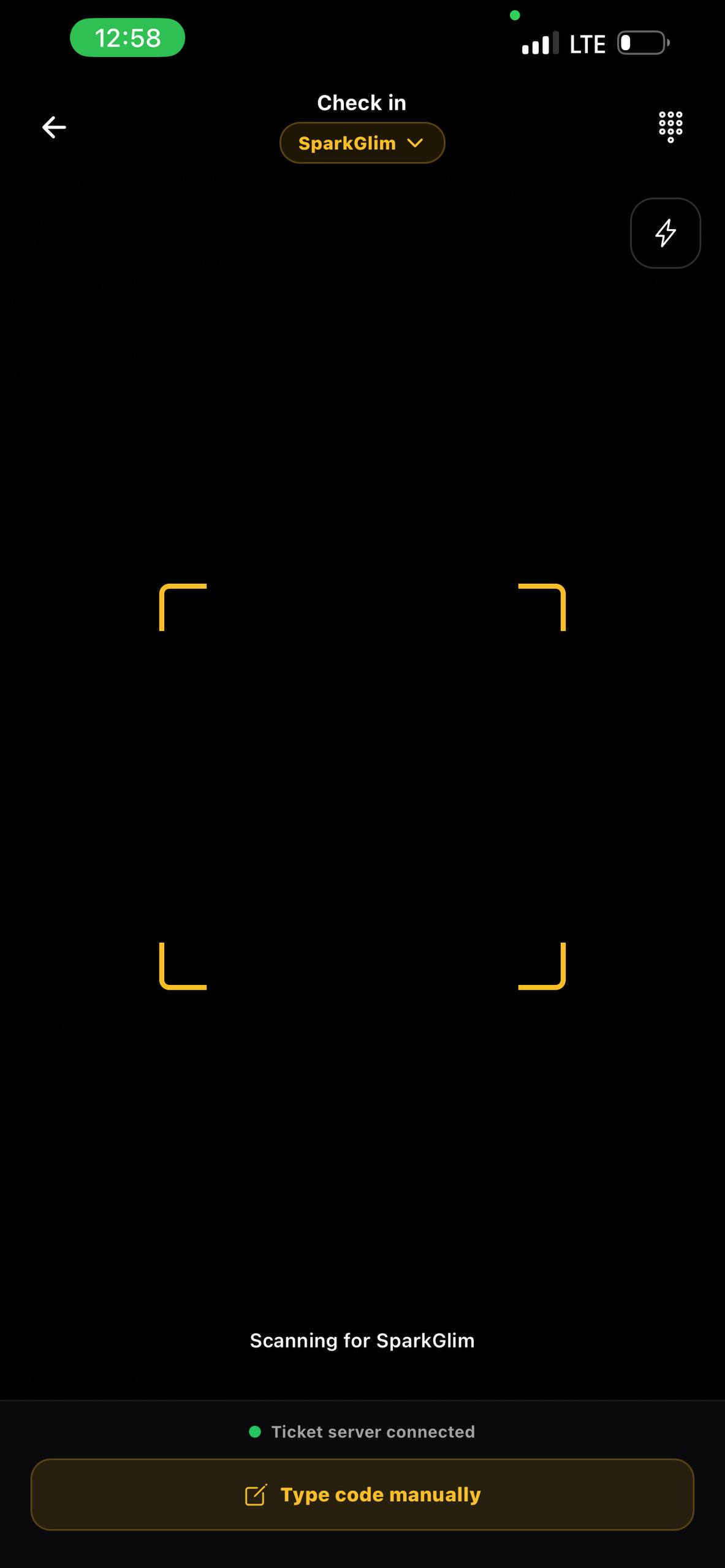
Connected check-in
Scan supported ticket QR codes or enter a code manually. The scanner uses the server to check a ticket, presents confirmation where required and keeps check-in history available.
Review supported campaign analytics and transaction records. Request private server-generated exports and open them in Downloads when ready.
See the wallet and payout information available to your account. Eligibility, fees, currency and financial outcomes are determined by SparkGlim Server.
Use supported session, device, account and notification settings. Features can vary by permission, campaign state, market and app availability.
Creators use their supported email and password login. Assigned organizer and team access uses its separate OTP entrance; the current organizer phone form accepts Ghana numbers.
Campaign tools, team controls and reports follow your assigned permissions. Choosing a login entrance does not grant access to another role.
Campaign selling country and currency follow the configured catalog and account rules. They are separate from the event’s physical location and do not activate payment providers.
Get the app
Use the installation links currently configured by SparkGlim. The destination provides its device, region and release requirements.
App access is currently unavailable. Use the web experience or contact support for guidance.
A configured release is not a guarantee of store availability in every country. Check the destination before installing. Keep an existing installation up to date through its supported update route.
No. Complete its required information and follow the existing review and approval process. A draft or submitted campaign is not automatically a live campaign.
Only assigned access is available. Server permissions govern the campaigns, tools and private records each account can use.
The current scanner requires a server connection and stops verification when offline. Prepare a reliable connection and an organizer-approved contingency before admission starts.
This public page supports English, French, Spanish, Portuguese and Arabic. Native app screens currently have different coverage and should not be assumed to match the website’s selected language.
Continue in Creator Web, or choose an available mobile release. Existing account permissions apply in either workspace.