
Skip to product content

SparkGlim Desktop

Your event workspace. Closer to the door.

Bring supported creator and venue workflows to a desktop: prepare campaign information, review attendees and work with compatible ticket-reading equipment.

Release access and hardware compatibility are confirmed with SparkGlim. The native client remains under development and does not automatically replace an existing installation.

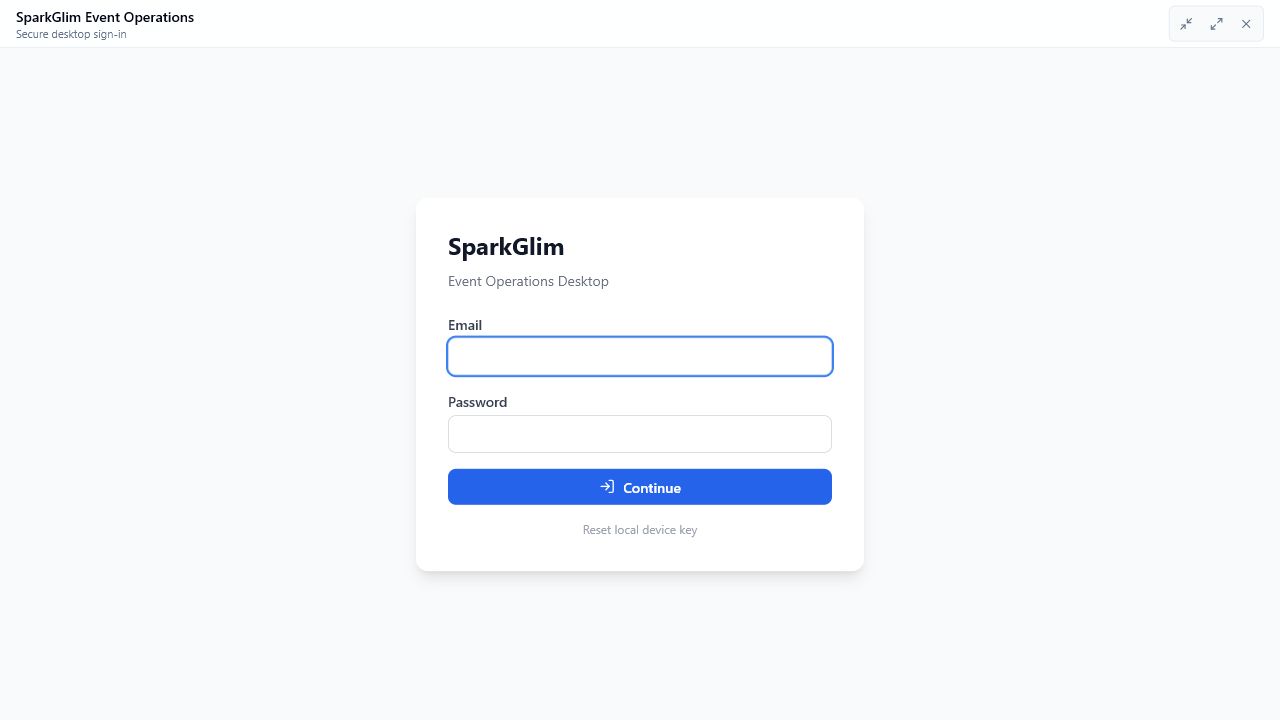
SparkGlim Event Operations desktop sign-in with empty email and password fields
Actual desktop sign-in interface. This preview shows sign-in, not a completed scan, print job or synchronization.

Before the doors open

A clear place for operational work.

Start with your authorized campaign and the capabilities available in your installed version. Server permissions and admission decisions remain authoritative.

  1. Prepare the workspace

    Sign in through the existing account and verification flow. Select a campaign you are authorized to manage and review its actual attendee and ticket information.

  2. Review the admission decision

    Use supported credential input and the installed check-in workflow. The server validates campaign scope and admission status; a reader connection alone never grants entry.

  3. Keep the record in context

    Review recorded activity and available exports. Confirm which operations are online, queued or pending in your exact version before relying on them during a network interruption.

Know your installation

Two generations. Specific capabilities.

The existing Electron application and the Rust native client are separate implementations. Their features, local records and release status must be considered separately.

Existing desktop generation

Electron workspace

The existing application contains event workflows, local SQLite queues and printing components. Available operations depend on the supplied release, approved access and equipment. Physical printer and reader acceptance is separate from the presence of an adapter.

Native development

Rust native client

The developing client includes authorized campaign and attendee views, check-in components and selected POS form workflows. Native printing, the designer and general offline synchronization are not complete. Development builds are not a production replacement release.

Keep existing local records and pending queues with their owning installation. Changing clients does not automatically migrate credentials, offline work or print assets.

Connect with context

The right adapter for the right equipment.

A USB port, Bluetooth connection or device name does not establish protocol compatibility. Confirm the installed client, operating system, driver and credential format together.

A USB port, Bluetooth connection or device name does not establish protocol compatibility. Confirm the installed client, operating system, driver and credential format together.
EquipmentImplemented pathConfirm before use
Keyboard-mode scannersCredential entry through compatible keyboard input.Check the credential format, suffix and active input field.
Camera QR and barcodeNative decoding includes QR and Code128 paths.Camera access, driver and physical scan conditions need testing.
USB and serialNative adapters connect explicitly selected newline-delimited serial readers.Confirm the OS interface, framing and equipment-specific protocol.
BluetoothA compatible OS-paired keyboard or serial endpoint may use its existing input adapter.This does not establish universal Bluetooth, BLE or automatic pairing support.
NFC and smart cardsThe native reader path uses PC/SC and Type 4 NDEF text or URI records.Reader/card combinations need validation. A card UID is not a ticket. Electron NFC is not established by its menu.
PrintersElectron contains print and PDF adapters; native printing remains incomplete.Confirm the client, printer model, connection and a physical output test.

Plan the venue

Local work has real requirements.

Discuss the exact workflow rather than assuming that every desktop operation works without internet or across every connected device.

A local main PC is a specific workflow

The native implementation can host configured POS forms on a trusted private IPv4 network, with scoped and expiring permissions. The main PC must remain running and reachable, and the firewall must permit access. This is local HTTP form hosting, not a general event mesh, automatic hotspot or TLS-secured LAN service.

Offline intake is not offline payment

The native local-form path can retain pending free-registration submissions for later server reconciliation while its authorization remains valid. It does not issue admission tickets, process payments or grant offline entry. Paid registrations use the existing SparkGlim checkout. General native offline sync is still incomplete.

Prepare permissions and recovery

Review account access, campaign scope, device enrollment, OS camera/reader permissions and the exact installed version. Test interruption and recovery with your actual equipment. Keep legacy queues and local print assets intact; never assume another client can safely take ownership of pending work.

Release access

Confirm your release. Then prepare your setup.

No public installer is currently listed here. Contact SparkGlim to confirm the supported release, onboarding and equipment for your event.

Local Windows builds exist. A configured build target or source adapter is not a published macOS or Linux release. Confirm availability with SparkGlim.

Before you install

A few things to confirm.

Can I download a public installer here?

Use a release link only when explicitly listed on this page. Otherwise request access through SparkGlim. Local build files and an application version in source do not establish a public release.

Does every scanner or NFC card work?

No. Compatibility depends on the client, OS, driver, connection and credential protocol. The native NFC path is specific to PC/SC Type 4 NDEF records. Confirm your equipment rather than treating discovery or a menu as verified support.

Can the desktop approve payments offline?

No. Financial authority stays with SparkGlim Server and its configured checkout. Local caches or pending free registrations do not confirm a payment, issue a paid ticket or grant admission.

Will switching clients move my local data?

Not automatically. Existing SQLite queues, credentials and printing assets belong to their current installation. A controlled migration and ownership handoff must preserve outstanding operations before a production switch.

Are the website languages also desktop languages?

This page supports English, French, Spanish, Portuguese and Arabic. Website translation does not establish language or right-to-left support in every desktop version. Confirm the installed client’s language and accessibility requirements during setup.

Bring your setup to the conversation.

Tell us your operating system, intended event workflow and reader or printer model. SparkGlim can discuss release access and the compatibility checks needed before your event.

Send general setup details only. Keep passwords, OTPs, signing keys and attendee records out of your initial enquiry.