
Categories and nominees
Support straightforward nominee lists or multi-category awards with public nominee details and codes.
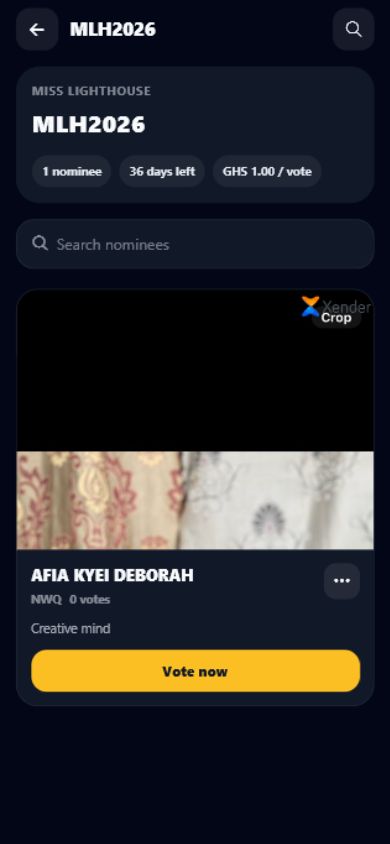
Digital voting
Create categories and nominees, accept verified vote transactions, track vote counts, and manage campaign visibility with SparkGlim.
Built around the real workflow
SparkGlim keeps voting campaigns centered on the actual number of votes purchased or recorded, not merely the number of payment transactions. Creators can structure categories, publish nominee profiles, configure vote pricing, monitor verified totals, and control when results are visible.
Capabilities
Support straightforward nominee lists or multi-category awards with public nominee details and codes.
Calculate results from recorded vote quantities so one transaction can correctly represent multiple votes.
Choose whether public pages show vote counts and reveal rankings according to the campaign state.
Connect supported web, mobile, payment, and USSD voting experiences to the same campaign records.
How it works
The exact fields and controls depend on the campaign type and account access, but the operating path stays clear.
Set dates, pricing, visibility, categories, nominee requirements, and public campaign information.
Create nominee records with codes, profiles, categories, and media where applicable.
Use transaction-linked vote quantities and campaign analytics to monitor participation.
Who it is for
Run public choice, entertainment, campus, and industry award voting.
Support student awards, competitions, pageants, and approved campus voting programs.
Create accessible nominee pages and track audience engagement across supported channels.
Questions
Voting totals should use the vote quantity recorded for each successful voting transaction, because one payment can represent more than one vote.
Yes. Campaign visibility settings control whether public nominee pages expose vote counts and rankings.
Yes. Organizers can use categories where required, while simple campaigns can present nominees directly.
Continue exploring
Manage award categories, nominee profiles, public codes, vote pricing, rankings, and campaign reports with SparkGlim.
Open pageRun Ghana voting campaigns with nominee codes, Mobile Money, card payments, USSD access, vote-based totals, and creator analytics.
Open pageConnect campaign and nominee codes to supported USSD voting, payment confirmation, vote records, and creator reporting with SparkGlim.
Open pageCreate the account, configure the right campaign type, and publish a direct page your audience can understand and use.