
Unique ticket identity
Each issued ticket carries a unique verification identity rather than a reusable generic event image.
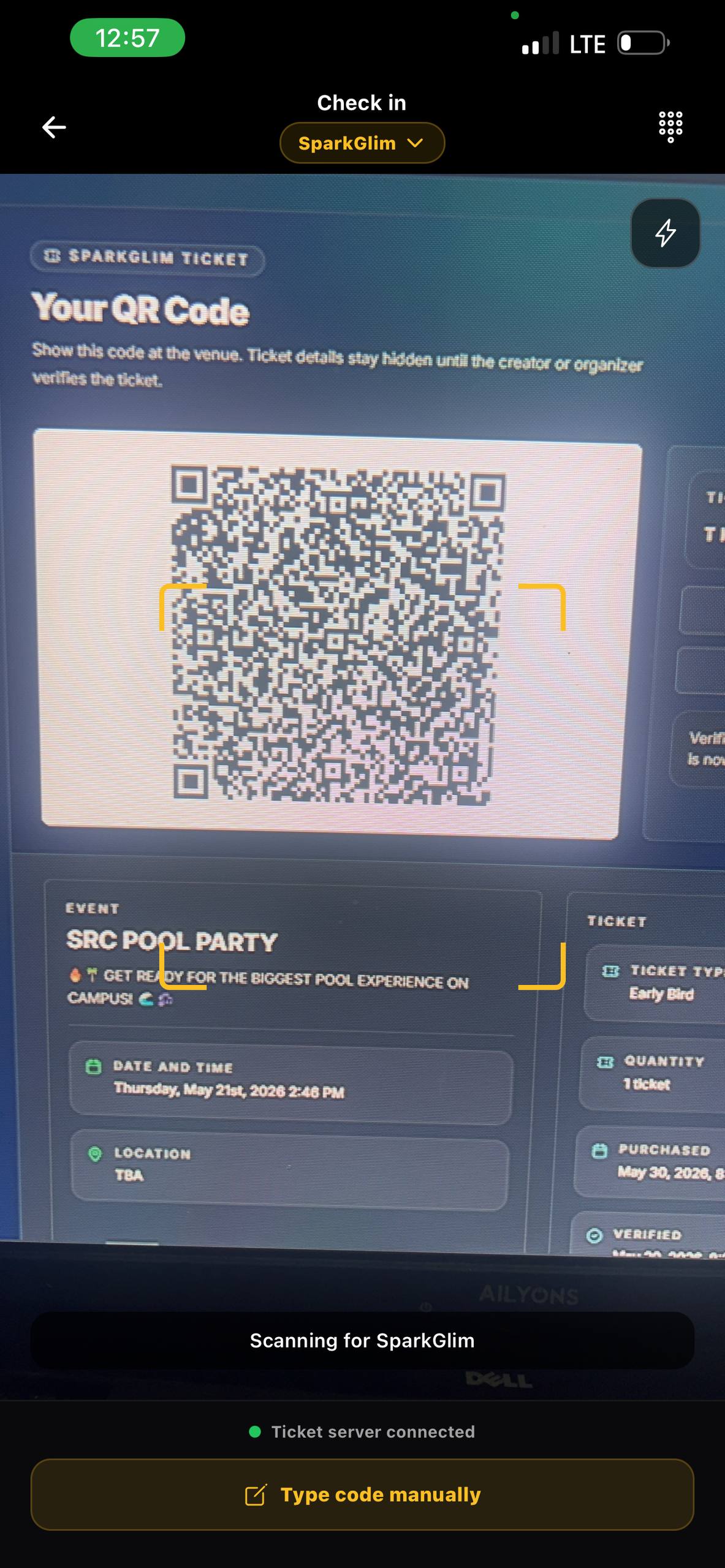
Ticket verification
Use unique QR tickets, ticket codes, check-in records, and creator scanning tools to manage event entry with SparkGlim.
Built around the real workflow
A QR image is only useful when it is connected to a real ticket record. SparkGlim links each generated code to its order, ticket type, campaign, attendee, and check-in state so organizers can distinguish valid entry from reused or unknown codes.
Capabilities
Each issued ticket carries a unique verification identity rather than a reusable generic event image.
Verification checks the stored ticket record and returns its current state to an authorized scanning workflow.
Check-in state helps teams identify a ticket that has already been used instead of admitting it twice.
Authorized staff can use the printed ticket code when scanning is unavailable or a camera cannot read the QR image.
How it works
The exact fields and controls depend on the campaign type and account access, but the operating path stays clear.
SparkGlim creates ticket records after the connected payment and fulfillment flow succeeds.
The attendee opens their ticket on the supported web or mobile experience at the venue.
Authorized event staff confirm the ticket state and record entry through creator tools.
Who it is for
Move from visual ticket inspection to records that can identify valid, invalid, and previously used tickets.
Give multiple authorized organizers a consistent verification process for busy entry points.
Search ticket details and resolve entry questions using the same transaction and campaign context.
Questions
No. Verification is based on the underlying ticket record and check-in state, not the number of times an image is copied.
The verification workflow can identify the existing ticket state so staff can avoid treating the same ticket as unused.
Supported verification screens can accept ticket codes as a fallback when a QR scan is not practical.
Continue exploring
Create an event, publish ticket types, accept Mobile Money and card payments, deliver QR tickets, and track sales with SparkGlim.
Open pageRun ticket sales, attendee records, payment tracking, QR delivery, check-in, reporting, and organizer access with SparkGlim.
Open pageSell event tickets in Ghana with Mobile Money and card payments, public event pages, QR tickets, and creator reporting on SparkGlim.
Open pageCreate the account, configure the right campaign type, and publish a direct page your audience can understand and use.