
Flexible ticket types
Offer general admission, early-bird, VIP, VVIP, complimentary, or custom ticket tiers with their own prices and capacities.
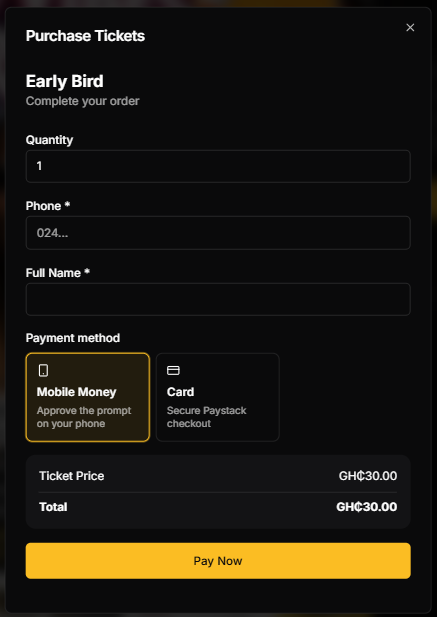
Ticket sales for organizers
Create an event, publish ticket types, accept Mobile Money and card payments, deliver QR tickets, and track sales with SparkGlim.
Built around the real workflow
SparkGlim gives organizers a direct path from event setup to paid entry. Build the public event page, configure ticket tiers and capacity, collect attendee details, receive payments, and verify each ticket at the venue without stitching together separate services.
Capabilities
Offer general admission, early-bird, VIP, VVIP, complimentary, or custom ticket tiers with their own prices and capacities.
Let buyers complete checkout with supported Mobile Money and card channels while SparkGlim records the payment against the correct event and ticket.
Issue a unique ticket and QR code after successful payment so attendees can keep their entry details on web or mobile.
Track quantities, capacity, revenue, attendee records, and verification activity from creator tools built for live operations.
How it works
The exact fields and controls depend on the campaign type and account access, but the operating path stays clear.
Add the event name, schedule, venue, description, artwork, capacity, and organizer information.
Create ticket types, confirm pricing and availability, then publish the public sales page.
Share the event link, monitor completed orders, and scan or verify tickets when attendees arrive.
Who it is for
Manage multiple price tiers and high-volume public ticket sales from a single campaign.
Run dinners, hall-week programs, awards nights, seminars, and campus entertainment events.
Publish paid or free events and keep a clear attendance record without paper lists.
Questions
Yes. A ticketing campaign can contain multiple ticket types with separate names, prices, quantities, and availability.
Successful purchases create ticket records with unique verification details and QR codes that buyers can access through supported SparkGlim delivery and account flows.
Yes. SparkGlim creator tools include ticket verification and check-in workflows for authorized organizers.
Continue exploring
Run ticket sales, attendee records, payment tracking, QR delivery, check-in, reporting, and organizer access with SparkGlim.
Open pageSell event tickets in Ghana with Mobile Money and card payments, public event pages, QR tickets, and creator reporting on SparkGlim.
Open pageUse unique QR tickets, ticket codes, check-in records, and creator scanning tools to manage event entry with SparkGlim.
Open pageCreate the account, configure the right campaign type, and publish a direct page your audience can understand and use.