Mobile management has transitioned from a convenience to an absolute necessity for modern event organizers, campus groups, and community leaders. Whether you are coordinating a campus-wide voting competition at the University of Ghana, managing high-volume ticket sales for an entertainment event in Accra, or launching a fundraising initiative for a community project, you cannot always remain anchored to a desktop computer. The modern operating environment demands agility, requiring creators to react to real-time events, update critical information, and monitor financial transactions from wherever they are. Utilizing the SparkGlim creator mobile app enables you to transform your mobile browser into a fully operational control center, giving you full access to your campaign analytics and setup parameters on the go.
Establishing a structured mobile operating rhythm is the key to preventing administrative bottlenecks and keeping your audience engaged. Rather than checking your dashboard randomly throughout the day, adopting a consistent routine allows you to systematically verify incoming registrations, update nominee rosters, and handle customer service questions with minimal friction. This professional guide outlines a practical, step-by-step workflow for mobile campaign administration, ensuring that you can maintain high standards of operational excellence, keep track of daily voting quantities, and quickly resolve any issues that may arise during live events.
Establishing Your Daily Mobile Operating Rhythm
Managing campaign logistics on your phone is most effective when structured into three distinct daily touchpoints. By dividing your responsibilities into morning, midday, and evening tasks, you avoid the fatigue of constant notifications while maintaining complete oversight of your campaigns. This structured approach helps ensure that you never miss an important milestone, whether you are checking payment trends or verifying participant lists.
The Morning Check: Monitoring Status and Real-Time Activity
Begin your day with a quick, five-minute overview of your active campaigns. Log into your dashboard via your mobile browser to review your primary metrics. Focus on the total volume of transactions completed overnight, particularly looking for patterns in digital voting quantities or ticket sales. In markets like Ghana, where mobile money payments represent a significant portion of transactions, verifying that your payment channels are operating smoothly is a critical first step. Check if the status of your campaign is set to public, ensuring it remains discoverable to the wider community. Early identification of any anomalies allows you to address them before peak traffic hours begin.
Midday Adjustments: Editing Details and Managing Nominees
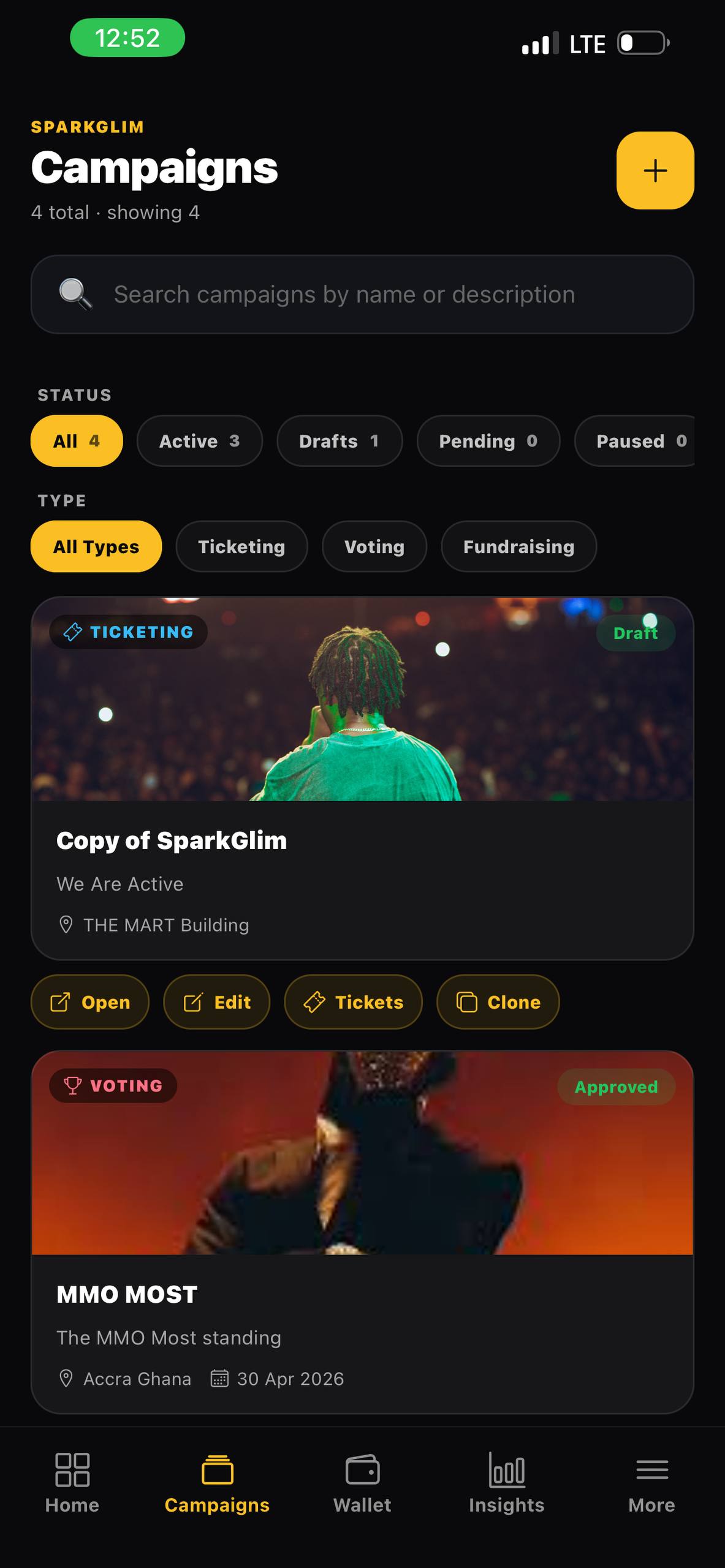
The middle of the day is the ideal time to perform minor edits and manage campaign participants. The mobile-responsive interface allows you to edit eligible details quickly without messing up the campaign layout. For instance, if a nominee in a competitive voting category requests a spelling correction, or if you need to adjust the available quantity of early-bird tickets for your upcoming gathering, you can execute these edits in a few taps. Additionally, take this time to review pending nominee submissions or newly registered participants. Ensuring that your participant lists are clean and accurate prevents confusion later in the day when voting and ticket purchasing activities typically peak.
Evening Wrap-up: Reviewing Ticket Sales and Escalating Issues
As the day winds down, transition your focus to logistical reconciliation and customer service. Check the final transaction volumes for the day and review any feedback or inquiries received from your ticket buyers or participants. If you have an event scheduled for the evening, ensure your gate staff have their scanning profiles ready. Using the integrated QR ticket verification system, your team can easily scan and validate attendee tickets directly through their mobile web browsers. If any technical or transactional issues arose during the day, compile the necessary transaction IDs and escalate them through the proper support channels before concluding your daily operations.
Complete Mobile Checklist for SparkGlim Organizers
To keep your mobile operations organized, follow this daily checklist designed for high-efficiency campaign management:
- Verify Campaign Status: Ensure all active campaigns are set to public and are discoverable on the platform.
- Monitor Digital Voting: Track the accumulation of voting quantities to detect any sudden spikes or unusual patterns.
- Update Content and Rules: Quickly edit eligible campaign descriptions, terms, or nominee names to reflect live updates.
- Check Ticket Inventories: Monitor remaining ticket stock for your upcoming events to adjust pricing or promotional strategies.
- Review Team Access: Confirm that your event team has the correct credentials to assist with QR ticket verification at the venue entrance.
Handling Escalations and Transaction Queries on the Go
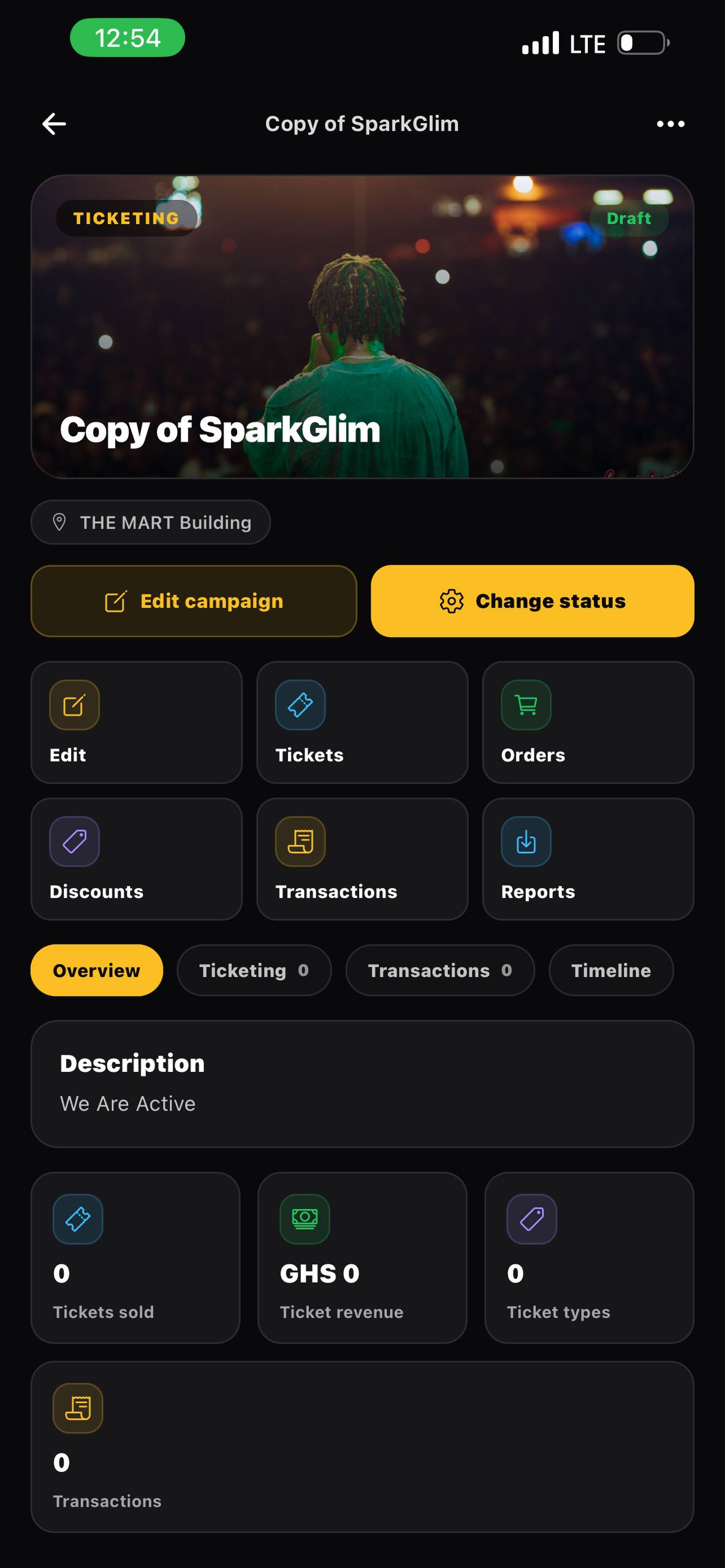
No campaign is completely immune to occasional transaction questions, especially when dealing with diverse payment methods across different regional markets. When an attendee or voter claims they experienced an issue with their mobile money payment, you can quickly handle the escalation from your phone. Open your campaign dashboard, navigate to the transaction log, and look up the specific user or reference number. If the payment is marked as pending or failed, advise the user on the correct steps or collect their transaction details to submit to support. Having this level of administrative control on your phone prevents long queues at your event gates and maintains trust within your community.
Frequently Asked Questions
Can I scan tickets using my phone's camera on SparkGlim?
Yes, the SparkGlim platform supports QR ticket verification directly through your mobile browser or creator dashboard, allowing gate staff to scan and validate tickets quickly.
What campaign details can I edit from my mobile device?
You can edit descriptive text, update ticket quantities, manage voting nominees, modify event details, and review transaction analytics from your phone.
How do I handle payment disputes or transaction inquiries on the go?
Access the transaction log in your mobile dashboard, locate the specific reference ID, and use the built-in support channels to escalate any discrepancies.
Can my team members also access the mobile dashboard?
Yes, SparkGlim supports organizer and team access levels, allowing your staff to log in and assist with operations like ticket scanning and monitoring.
Conclusion
Maintaining an active presence in your community requires tools that move with you. By establishing a standard daily mobile rhythm, you can comfortably check status, edit campaign parameters, oversee digital voting quantities, and handle ticket verifications without being tethered to an office desk. This mobile-first approach ensures that your operations run smoothly, keeping your participants happy and your events highly organized. Ready to elevate your event organization? You can register a SparkGlim account today to launch your customized campaigns, or check out our active SparkGlim events directory to explore what other creative organizers are building in your region.
Article gallery
Frequently asked questions
Can I scan tickets using my phone's camera on SparkGlim?
Yes, the SparkGlim platform supports QR ticket verification directly through your mobile browser or creator dashboard, allowing gate staff to scan and validate tickets quickly.
What campaign details can I edit from my mobile device?
You can edit descriptive text, update ticket quantities, manage voting nominees, modify event details, and review transaction analytics from your phone.
How do I handle payment disputes or transaction inquiries on the go?
Access the transaction log in your mobile dashboard, locate the specific reference ID, and use the built-in support channels to escalate any discrepancies.
Can my team members also access the mobile dashboard?
Yes, SparkGlim supports organizer and team access levels, allowing your staff to log in and assist with operations like ticket scanning and monitoring.
Found this helpful?


Comments (0)