
Running a successful event, digital voting campaign, or community fundraising initiative requires a coordinated team effort. Whether you are a student leader coordinating campus elections at the University of Ghana, an entertainment coordinator managing a large-scale festival in Kumasi, or a business administrator tracking global digital votes, managing who has access to your campaign backend is critical. While collaboration increases operational efficiency, giving unrestricted access to every volunteer exposes your organization to financial, data, and reputational risks. Standardizing access controls protects your campaign from accidental configuration changes, data leaks, and unauthorized modifications.
SparkGlim provides a robust infrastructure supporting public campaign discovery, event ticketing, QR ticket verification, digital voting with custom vote quantities, fundraising, and comprehensive creator dashboards. However, the integrity of these tools depends on how well you manage your team access boundaries. Securely delegating responsibilities ensures that ticket checkers, financial auditors, and marketing teams can execute their duties without overlapping. By establishing clear permissions, enforcing secure device practices, and setting up regular audit habits, you build a resilient environment that keeps operations running smoothly from launch to final payout.
The Principle of Least Privilege in Team Management
The principle of least privilege dictates that team members should only have the minimal level of access required to complete their designated tasks. In event management, it is common to hire temporary staff or assign student volunteers to assist with high-traffic duties like gate check-ins. Giving these temporary workers full administrative credentials to your SparkGlim creator dashboard is a critical vulnerability. Instead, their access must be strictly confined to ticket verification functions, preventing them from viewing sensitive payout configurations, voting counts, or donor personal information.
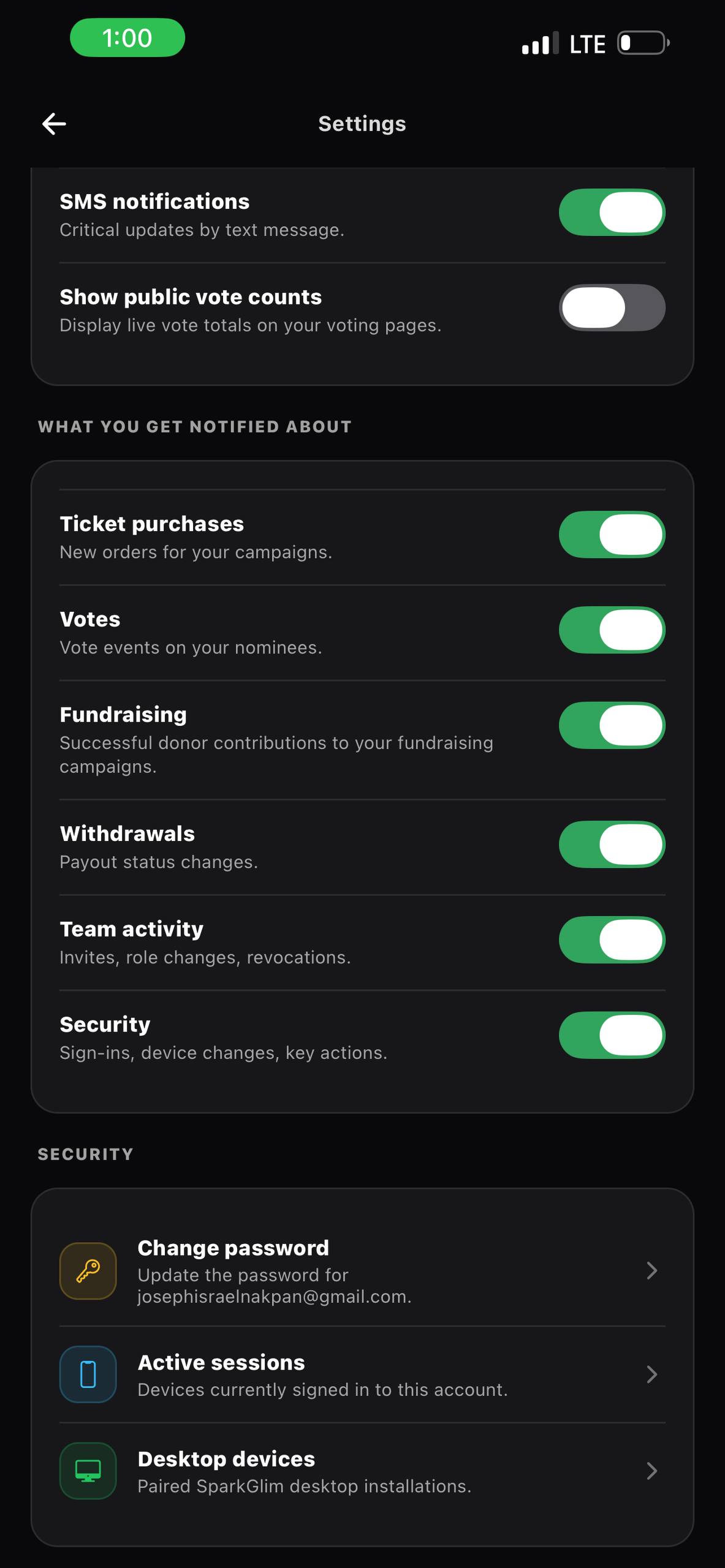
When organizing access, classify your team into specific functional tiers. For example, assign administrators to manage campaign setup and financial overviews, while allocating check-in agents to handle front-of-house ticketing validation. This separation ensures that even if an individual credential is lost or a mobile device is physically compromised, the impact on the overall campaign remains localized and manageable. Limiting write access also minimizes the risk of accidental campaign deletion or premature closure of voting channels.
Invitation Workflows and Campaign Ownership Boundaries
Inviting staff members to collaborate on SparkGlim should always occur through official dashboard invitation channels. Rather than sharing a single username and password among multiple users—a habit that makes accountability impossible—every team member must use their own verified identity. This separation of accounts creates an audit trail that attributes every single action, from adjusting ticket prices to modifying fundraising goals, to a specific individual.
Furthermore, campaign ownership boundaries must be actively maintained. If your organization manages multiple distinct campaigns—such as a nationwide corporate fundraiser and a highly sensitive local political straw poll—ensure that access is segmented. Staff members assigned to the fundraising campaign should have no visibility into the digital voting metrics of the other project. Keeping these databases and dashboards siloed prevents internal data contamination and protects the proprietary interest of different client groups within your portfolio.
Device Security and Gate Management Best Practices
During live events, physical device security is often the weakest link in your digital defense. Ticket scanning staff are constantly moving, interacting with attendees, and operating in crowded, high-energy environments. This increases the risk of mobile devices being lost, stolen, or accessed by unauthorized individuals. Event organizers must establish strict protocols for physical device security to prevent malicious access to the backend system.
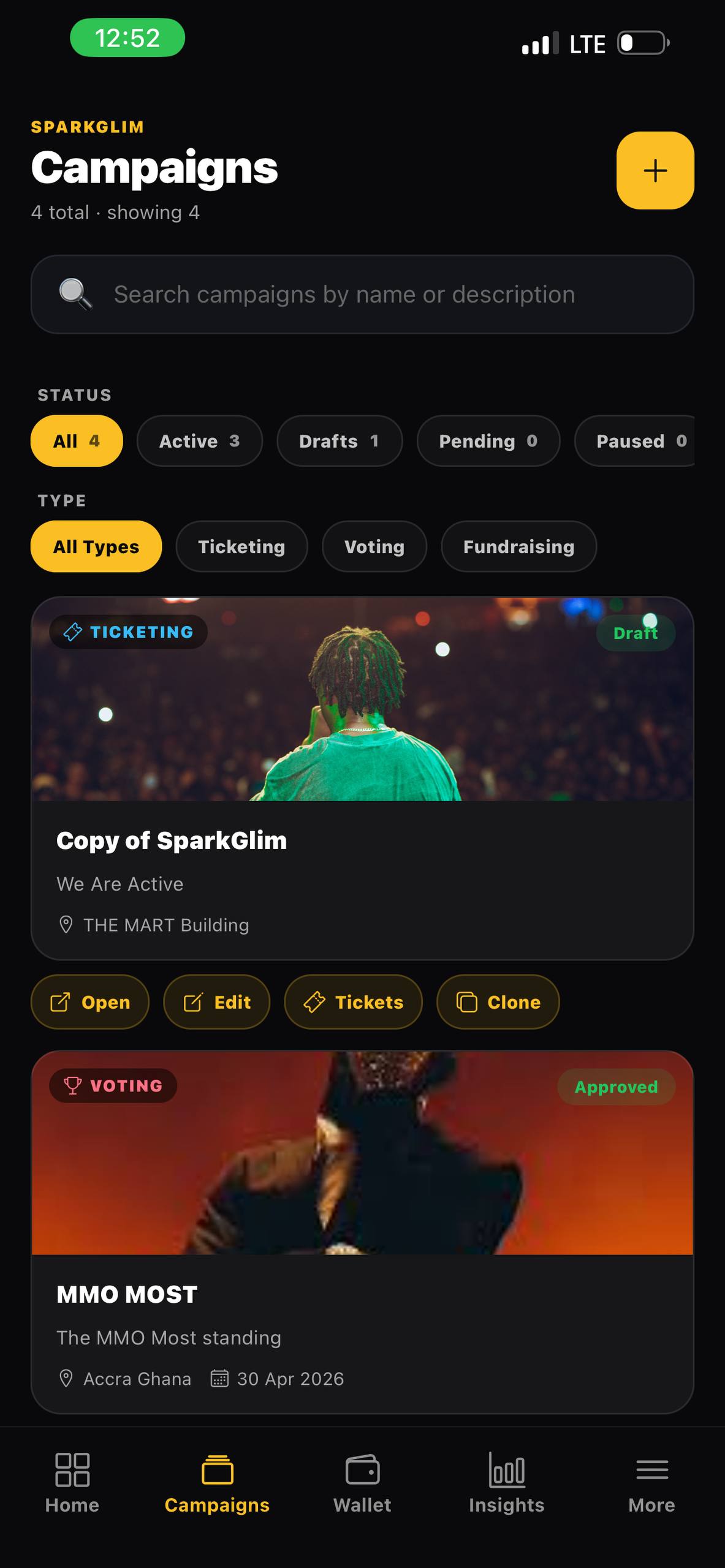
To support on-the-ground validation, staff should utilize the specialized SparkGlim creator mobile app. This dedicated application allows for rapid QR ticket verification without exposing full campaign editing tools to the scanning device. Ensure that every smartphone used at check-in gates is secured with biometric locking or a strong PIN code. If a scanning device is lost or misplaced during a busy rush, administrators can immediately revoke that specific agent's access from the primary dashboard, neutralizing the threat instantly without disrupting other active ticket scanners.
Offboarding Team Members and Active Auditing
Post-campaign operations are just as critical as the event day itself. Once an event concludes and the final digital voting results are verified, the process of offboarding must begin. Temporary staff, contract workers, and seasonal campus volunteers should have their access revoked promptly. Leaving dormant accounts active in your ecosystem creates a broad attack surface that can be exploited long after your campaign has concluded.
Establish a habit of conducting security audits before, during, and after each campaign cycle. Reviewing active roles and monitoring historical system logs helps identify anomalous patterns, such as unexpected logins from unfamiliar IP addresses or unauthorized attempts to alter transaction configurations. By aligning your operational habits with the guidelines outlined on the SparkGlim security resource page, you protect not only your organization's integrity but also the personal data of your participants and donors.
Frequently Asked Questions
How do I invite a new team member to my SparkGlim campaign?
You can invite team members directly through the SparkGlim creator dashboard by navigating to team settings and entering their email address. Make sure to assign them the lowest tier of permissions necessary for their specific operational role.
Can a team member access my payouts or banking details?
No, SparkGlim enforces strict boundaries around sensitive financial operations. Standard staff roles like check-in agents or campaign viewers do not have the authorization to view or change payout accounts or payment configurations.
What should I do if a check-in device is lost or stolen at an event?
If a device is compromised, log into your main SparkGlim creator dashboard immediately from a secure device, go to team management, and revoke the access permissions associated with that specific team member or agent.
How does SparkGlim isolate data between different campaigns in the same organization?
SparkGlim applies logical campaign ownership boundaries. You can assign organizers to specific campaigns, ensuring they cannot view ticket sales, voting statistics, or customer lists of campaigns to which they are not explicitly assigned.
Establishing Long-Term Security Standards
Managing organizer and team access boundaries is not a one-time configuration task but an ongoing operational discipline. As you scale your operations—from local campus voting campaigns to international ticketing networks—maintaining tight access controls guarantees that your data, revenue, and trust remain intact. Implementing a deliberate strategy around role delegation, device hygiene, and prompt offboarding ensures your organization can leverage the full potential of SparkGlim without compromising security boundaries.
If you need specialized guidance on setting up multi-tier permission profiles, organizing white-label enterprise setups, or configuring custom team hierarchies for complex organizational workflows, our support team is ready to assist. Learn more about advanced configurations or speak directly with our team by visiting the SparkGlim contact page.
Article gallery
Frequently asked questions
How do I invite a new team member to my SparkGlim campaign?
You can invite team members directly through the SparkGlim creator dashboard by navigating to team settings and entering their email address. Make sure to assign them the lowest tier of permissions necessary for their specific operational role.
Can a team member access my payouts or banking details?
No, SparkGlim enforces strict boundaries around sensitive financial operations. Standard staff roles like check-in agents or campaign viewers do not have the authorization to view or change payout accounts or payment configurations.
What should I do if a check-in device is lost or stolen at an event?
If a device is compromised, log into your main SparkGlim creator dashboard immediately from a secure device, go to team management, and revoke the access permissions associated with that specific team member or agent.
How does SparkGlim isolate data between different campaigns in the same organization?
SparkGlim applies logical campaign ownership boundaries. You can assign organizers to specific campaigns, ensuring they cannot view ticket sales, voting statistics, or customer lists of campaigns to which they are not explicitly assigned.
Found this helpful?



Comments (0)