
Simplifying Ticketing Through USSD Accessibility
In regions where internet connectivity can be intermittent or data costs remain a barrier for potential attendees, USSD (Unstructured Supplementary Service Data) serves as a critical bridge. For event organizers, campus groups, and creators using SparkGlim, the USSD channel provides an immediate, low-friction pathway to reach audiences directly on their mobile devices without requiring a smartphone or active data plan. By leveraging the SparkGlim USSD ecosystem, organizers can facilitate high-volume ticket sales, manage real-time inventory, and automate payment reconciliation, ensuring that the barrier between a fan and an event is practically non-existent.
Implementing a ticketing workflow requires more than just a short code; it requires a robust backend architecture that ensures data integrity and user confidence. SparkGlim provides the infrastructure to map your event campaigns to specific USSD routing logic, allowing participants to navigate through menus, select ticket quantities, confirm pricing, and finalize payments via secure, integrated channels. This document outlines the systematic design of a professional USSD ticketing flow, focusing on efficiency, user experience, and event-day operational readiness.

Designing the User Flow: From Campaign Selection to Checkout
The success of a USSD ticketing campaign depends entirely on the clarity and brevity of the menu structure. Users engaging with your SparkGlim-powered USSD code should experience a predictable, logical progression that minimizes clicks while maximizing information delivery. A well-structured flow typically follows this sequence:
- Initialization: The user dials the short code, triggering the SparkGlim gateway to fetch active public campaigns.
- Event Selection: If the code supports multiple events, a concise list is presented; otherwise, the flow jumps straight to the event details.
- Quantity Selection: Users input the number of tickets required, with real-time backend validation against remaining capacity.
- Payment Initiation: The platform prompts for the preferred payment method, utilizing the SparkGlim backend to interface with supported mobile money or bank channels.
- Confirmation: Once payment is successful, the backend triggers an automated notification and delivers the digital entry pass.
Managing Capacity and Real-Time Inventory
One of the most complex aspects of physical or virtual events is preventing overbooking. SparkGlim handles this by maintaining a centralized source of truth. As a user navigates the USSD menu, the system checks the available inventory for the specific ticket tier selected. If the last ticket is purchased, the system dynamically updates the menu, removing the option or notifying the user that the event is sold out. This backend-routed process ensures that no two users are ever sold the same ticket, preventing awkward situations at the gate.
The Role of Secure Payment Processing
Payments through USSD must be handled with precision. SparkGlim supports backend-routed payments that bridge the gap between telecom billing and your event treasury. When a user confirms the ticket cost, the system sends an authorization request to the payment provider. Only upon receiving a successful callback from the provider does the SparkGlim system finalize the transaction record, generate the unique ticket ID, and issue the confirmation. This transactional atomicity—where payment and ticket issuance occur together—is fundamental to maintaining financial transparency for the organizer.
Ensuring Seamless Ticket Delivery and Verification
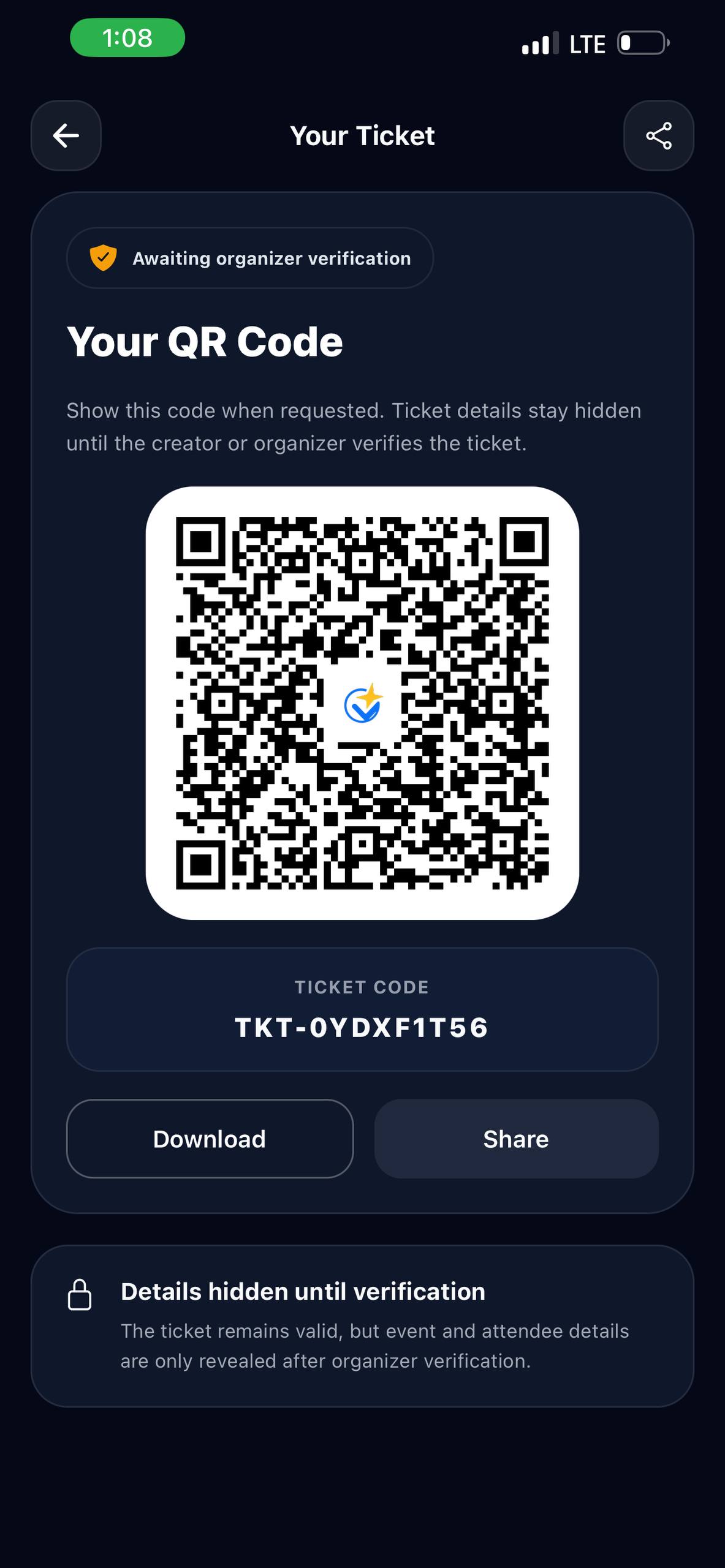
The journey does not end at payment. A digital ticket is only as valuable as its ability to be verified at the point of entry. SparkGlim facilitates this through a multi-channel delivery approach. Once the transaction is cleared, the system triggers an SMS notification to the user containing a unique identifier or a link to a QR ticket.
Optimizing Event-Day Check-in
When attendees arrive at the venue, staff use the SparkGlim creator tools to scan the provided QR codes or input the ticket IDs into the portal. Because the SparkGlim backend is updated in real-time, any attempt to reuse a ticket will be immediately flagged as invalid. This prevents unauthorized entry and provides you with accurate, live attendance data. You can view these insights directly from your creator dashboard, allowing you to monitor peak entry times and overall turnout.
Handling Support and User Issues
Even with a well-designed flow, users occasionally encounter issues, such as dropped connections or missed notifications. Your support strategy should include:
- Reference ID Management: Every USSD session generates a transaction log within the SparkGlim backend. Encourage users to note their transaction reference IDs if they experience an issue.
- Direct Communication Channels: Provide a clear support contact point in your event description for users who need help verifying their purchase.
- Manual Override Capability: As an organizer, you retain access to the dashboard to manually search for transactions by phone number or date if a customer arrives without their confirmation SMS.
Strategic Implementation Checklist
Before launching your ticketing campaign, ensure you have addressed the following items:
- Verify your campaign settings in the SparkGlim dashboard to ensure ticket tiers and pricing are accurate.
- Test the USSD flow in a sandbox or staging environment to ensure all menu branches lead to a successful transaction.
- Ensure your event description includes the name, date, venue, and a clear call to action regarding the USSD code.
- Coordinate with your gate staff to ensure they have access to the SparkGlim scanning interface and reliable mobile data/Wi-Fi for real-time validation.
- Create an 'Event Closed' or 'Sold Out' status message to display if the event capacity is reached before the scheduled time.
FAQ Section
How do users receive their tickets after paying via USSD?
Once the SparkGlim system confirms the payment from the provider, an SMS is sent to the purchaser’s phone number containing a unique ticket identifier and, in many cases, a link to a scannable QR ticket.
Can I sell different categories of tickets (e.g., VIP vs. Regular) on the same USSD code?
Yes. The SparkGlim USSD menu allows you to nest multiple tiers of tickets under a single event. Users are prompted to choose the category before selecting the quantity.
What happens if a user's mobile money payment fails during the transaction?
The transaction will remain in an incomplete state in the SparkGlim backend. No ticket is generated, and the user is typically notified via an SMS error message provided by the payment gateway, allowing them to retry the process.
How do I monitor ticket sales in real-time?
You can access your SparkGlim creator dashboard at any time to view live statistics, including the number of tickets sold, revenue generated, and remaining capacity for your event.
Conclusion
Utilizing USSD for event ticketing represents a sophisticated approach to scaling access and streamlining operations for events of any size. By centralizing your ticketing, payments, and verification through the SparkGlim ecosystem, you eliminate the friction inherent in traditional paper-based or manual systems. From the initial prompt to the final scan at the door, every step is optimized to provide a professional, secure, and data-driven experience. As you prepare your next event, take the time to configure your menu paths carefully and leverage the full power of the SparkGlim creator dashboard to ensure your ticketing process is as successful as the event itself. Visit SparkGlim USSD to begin designing your event flow or explore our event solutions to manage your upcoming campaign. Ready to start? Register on SparkGlim today to access your professional creator tools.
Article gallery
Frequently asked questions
How do users receive their tickets after paying via USSD?
Once the SparkGlim system confirms the payment from the provider, an SMS is sent to the purchaser’s phone number containing a unique ticket identifier and, in many cases, a link to a scannable QR ticket.
Can I sell different categories of tickets (e.g., VIP vs. Regular) on the same USSD code?
Yes. The SparkGlim USSD menu allows you to nest multiple tiers of tickets under a single event. Users are prompted to choose the category before selecting the quantity.
What happens if a user's mobile money payment fails during the transaction?
The transaction will remain in an incomplete state in the SparkGlim backend. No ticket is generated, and the user is typically notified via an SMS error message provided by the payment gateway, allowing them to retry the process.
How do I monitor ticket sales in real-time?
You can access your SparkGlim creator dashboard at any time to view live statistics, including the number of tickets sold, revenue generated, and remaining capacity for your event.
Found this helpful?



Comments (0)