
Setting the Foundation for Your Event
Launching a dedicated ticketing website is the most effective way to establish brand authority and streamline attendee management. Whether you are organizing a university concert in Accra, a corporate gala, or a local community workshop, having a centralized digital hub allows you to control the narrative, own your attendee data, and minimize reliance on external platforms. By leveraging the SparkGlim backend, you gain access to a robust architecture designed specifically to handle high-traffic ticketing, fundraising, and event discovery seamlessly.
Building a successful site starts with defining your requirements—such as whether you need a branded sub-domain or a fully integrated custom domain. Once your structural decisions are made, you can utilize the SparkGlim platform to manage everything from ticket inventory to real-time analytics. This guide walks you through the technical and operational steps required to transition from a concept to a live, functional ticketing platform that serves both your organizational goals and your participants' expectations.

Strategic Brand and Domain Configuration
Your domain name is the digital storefront of your event. For professional events, we recommend using a clean, memorable domain that mirrors your organization’s branding. SparkGlim allows you to configure your ticketing environment to match your identity. Whether you opt for a managed subdomain under the SparkGlim ecosystem or a verified custom domain, ensure your URL is short and easy for your audience to type during marketing campaigns.
Beyond the domain, your campaign catalogue should be organized logically. If you host recurring events, consider how your landing page displays upcoming versus past sessions. Use the SparkGlim dashboard to categorize events, add high-quality imagery, and write clear descriptions that help participants understand exactly what they are purchasing. A cohesive look and feel builds trust, which is essential for increasing conversion rates during the checkout process.
Defining Ticket Tiers and Capacity
Effective capacity management is the backbone of operational success. Within the SparkGlim backend, you can define multiple ticket tiers—such as Early Bird, Regular, and VIP—each with its own price point and inventory limit. Setting hard limits on ticket types prevents overselling and allows you to track revenue projections in real-time. We advise organizers to conduct an audit of their expected attendance before opening ticket sales to ensure the chosen platform configuration aligns with total venue capacity.
Payment Integration: Navigating Digital Options
For organizers in Ghana and other regional markets, local payment accessibility is non-negotiable. SparkGlim provides backend-routed payments that support both card and mobile-money transactions. This flexibility ensures that attendees can pay using the method they are most comfortable with, reducing cart abandonment significantly. When setting up your checkout flow, ensure your instructions for mobile money are clear, as specific transaction confirmations are required to trigger ticket issuance.
The SparkGlim checkout system is designed to handle automated confirmation. Once a transaction is successfully processed and verified in the backend, the attendee receives a notification containing their digital ticket. This removes the manual burden from your event staff and provides participants with immediate value.
QR Verification and Operations
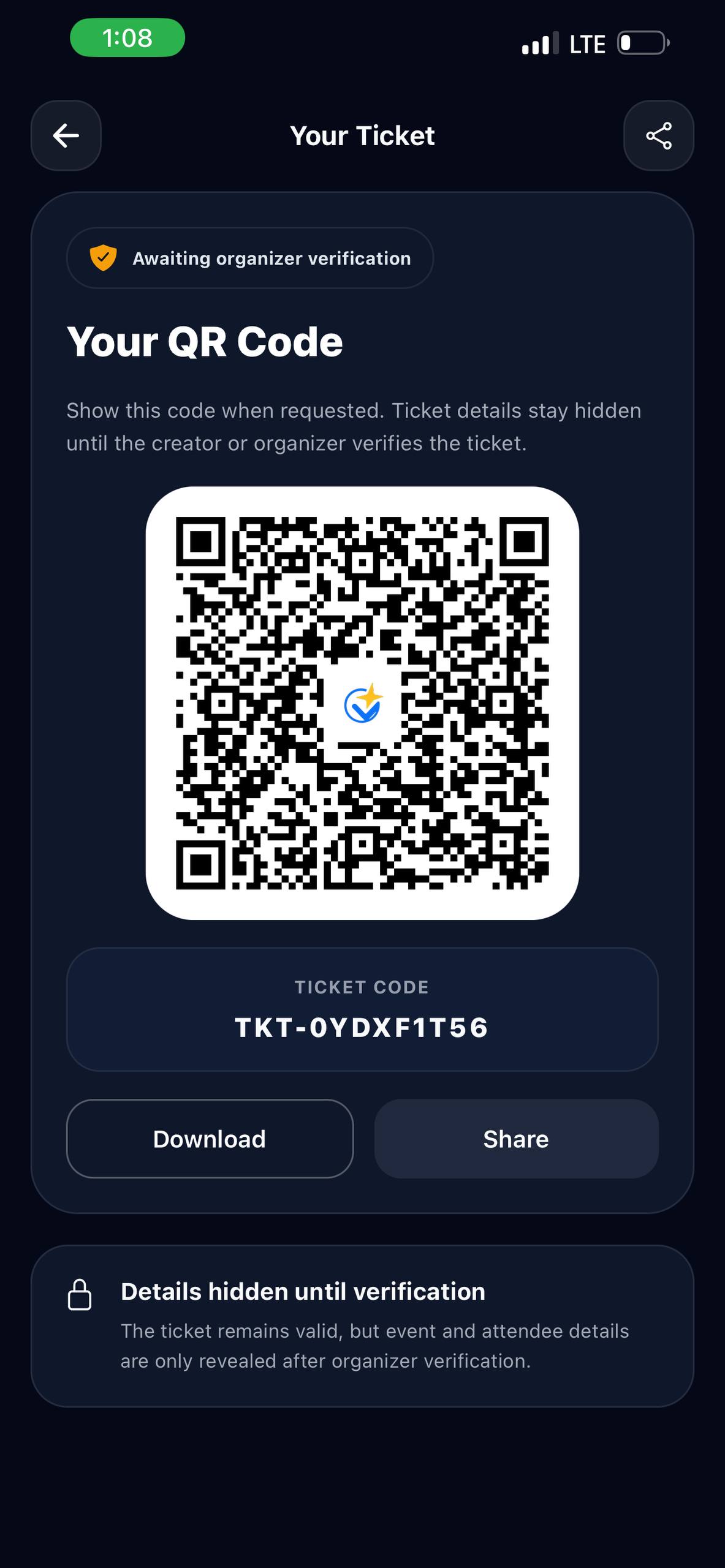
Managing entry on event day is where a robust system truly proves its worth. SparkGlim enables seamless QR code verification, which serves as the industry standard for secure, fast entry. Each ticket contains a unique, non-duplicable QR code. Your gate staff can use mobile devices connected to the SparkGlim platform to scan these codes, verify the ticket validity, and record attendance in real-time. This eliminates paper lists and reduces entry bottlenecks, ensuring a smooth experience for your attendees.
Post-Event Reporting and Analytics
Once the event concludes, your job isn't finished. Accessing comprehensive reports through the SparkGlim creator dashboard allows you to understand your audience better. Look at metrics such as peak sales times, the performance of different ticket tiers, and attendance rates. These insights are invaluable for planning your next event, enabling you to refine your pricing, marketing, and operational logistics based on actual data rather than speculation.
Checklist for a Successful Launch
- Verify your campaign details: Ensure the date, time, and venue are accurate.
- Set ticket tiers: Define clear, limited quantities for each category.
- Test payments: Complete a full transaction through mobile money and card flows.
- Configure notifications: Check that users receive digital tickets promptly upon purchase.
- Train staff: Ensure gate personnel understand how to use the QR verification tool.
- Establish support channels: Create a clear point of contact for attendee issues.
Frequently Asked Questions
How long does it take to set up a ticketing website on SparkGlim?
The time required depends on your readiness, but most organizers can configure their events and go live within a few hours once all copy, branding assets, and payment settings are prepared in the backend.
What payment methods are supported for my attendees?
SparkGlim supports card and mobile-money payments across relevant markets. The platform ensures these payments are routed securely through our backend to confirm ticket issuance.
Can I track attendee numbers in real-time?
Yes. The SparkGlim creator dashboard provides real-time analytics on ticket sales and, during the event, live data on QR code check-ins as participants arrive.
Is technical support available if I encounter an issue during my event?
Yes. For any technical challenges or configurations you cannot resolve independently, our team is available to assist via our official support channels.
Conclusion
Creating a professional ticketing website is a foundational step in scaling your event operations. By using the comprehensive tools provided by SparkGlim, you can ensure that your ticket sales, attendee management, and entry verification are professional and secure. Focus on providing clear information to your users, testing your payment and entry flows thoroughly, and utilizing the analytics provided to improve future events. When you are ready to explore professional white-label options, visit our white-label page to learn how you can further customize your experience, browse our active events, or reach out to our team at our contact page if you need further assistance with your deployment.
Article gallery
Frequently asked questions
How long does it take to set up a ticketing website on SparkGlim?
The time required depends on your readiness, but most organizers can configure their events and go live within a few hours once all copy, branding assets, and payment settings are prepared in the backend.
What payment methods are supported for my attendees?
SparkGlim supports card and mobile-money payments across relevant markets. The platform ensures these payments are routed securely through our backend to confirm ticket issuance.
Can I track attendee numbers in real-time?
Yes. The SparkGlim creator dashboard provides real-time analytics on ticket sales and, during the event, live data on QR code check-ins as participants arrive.
Is technical support available if I encounter an issue during my event?
Yes. For any technical challenges or configurations you cannot resolve independently, our team is available to assist via our official support channels.
Found this helpful?



Comments (0)