
Optimizing Campaign Architecture: Straight List vs. Vote Categories
Designing a digital voting campaign requires balancing structural thoroughness with absolute clarity for the end-user. When organizers setup award schemes, beauty pageants, or institutional elections across Ghana and broader African markets, they often face a critical layout decision: whether to present nominees in a single, unified list or segment them into distinct voting categories. Overcomplicating this architecture directly correlates with drop-off rates, as voters struggle to locate their preferred choices or understand how to cast multiple votes.
A clean voting experience ensures that every participant, whether navigating a desktop browser or using mobile tools on the go, can complete their vote within seconds. By planning nominee catalogs, shortcodes, and categorizations deliberately before launching your campaign, you minimize user errors, eliminate confusion, and maximize total community engagement.
When a Straight Nominee List is Best
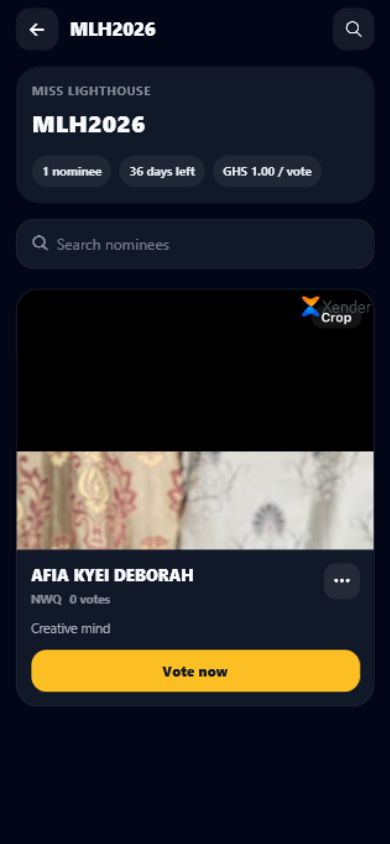
A straight nominee list works exceptionally well for singular competitions. This includes popularity contests, executive council elections (such as a university SRC presidency in Accra), or single-tier pageants where all nominees compete for one grand title. In these scenarios, introducing categories is unnecessary and forces the user to navigate through extra pages. A flat structure allows voters to land on the page, quickly identify their preferred candidate, and cast their vote immediately. Keeping the layout simple prevents voters from having to browse through multiple directories when there is only one decision to make.
When Structured Categories are Necessary
Conversely, multi-category frameworks are essential for complex events like industry awards, talent showcases, or multi-seat corporate elections. In these setups, organizing nominees under clear thematic groups—such as Best Producer, Creator of the Year, or Male Vocalist—helps keep the ballot tidy. If all nominees for twenty different categories were displayed on a single page without segmentation, the screen would become an endless wall of names. For organizers seeking to establish these multi-layered voting structures, utilizing a robust platform like SparkGlim digital voting ensures that categories are cleanly divided without overwhelming the system or the voter.
Setting Naming Conventions and Media Standards
Inconsistencies in nominee listings can undermine the credibility of an entire voting campaign. If one nominee has a high-resolution, professional portrait while another has a low-quality, cropped selfie, voters may perceive system bias. To prevent this, organizers must establish strict asset guidelines prior to gathering nominee profiles. Consider these standardization steps:
- Standardized Crop and Dimensions: Require 1:1 square or 4:5 vertical aspect ratio headshots for all nominees. This ensures that every profile card occupies the exact same visual space on mobile and desktop layouts.
- Naming Formulas: Use a consistent naming format across the entire campaign, such as "First Name Surname (Stage Name)" or "Department - Full Name" for corporate elections.
- Neutral Backgrounds: Encourage plain or brand-consistent backdrops to keep visual weight equal across all choices, preventing visual distraction.
Identifiers, Shortcodes, and Ordering Rules
To make voting fast and accessible, assign unique, simple identifiers to every candidate. This is particularly crucial for campaigns using multiple channels where voters might input shortcodes or search strings on their mobile devices. Numeric codes are highly effective here. Instead of using complex text strings, assign structured prefixes based on categories, such as Category A (A1, A2, A3) and Category B (B1, B2, B3).
In addition to codes, consider how nominees are ordered on the screen. To avoid giving the first nominee an unfair advantage, consider randomizing the display order or organizing names strictly alphabetically by surname. Transparency regarding vote quantities is also essential. Clearly state whether voters can purchase or submit multiple votes at once. This transparency prevents accidental double-spending and reduces user frustration during payment checkout flows.
Testing and Post-Launch Change Control Procedures
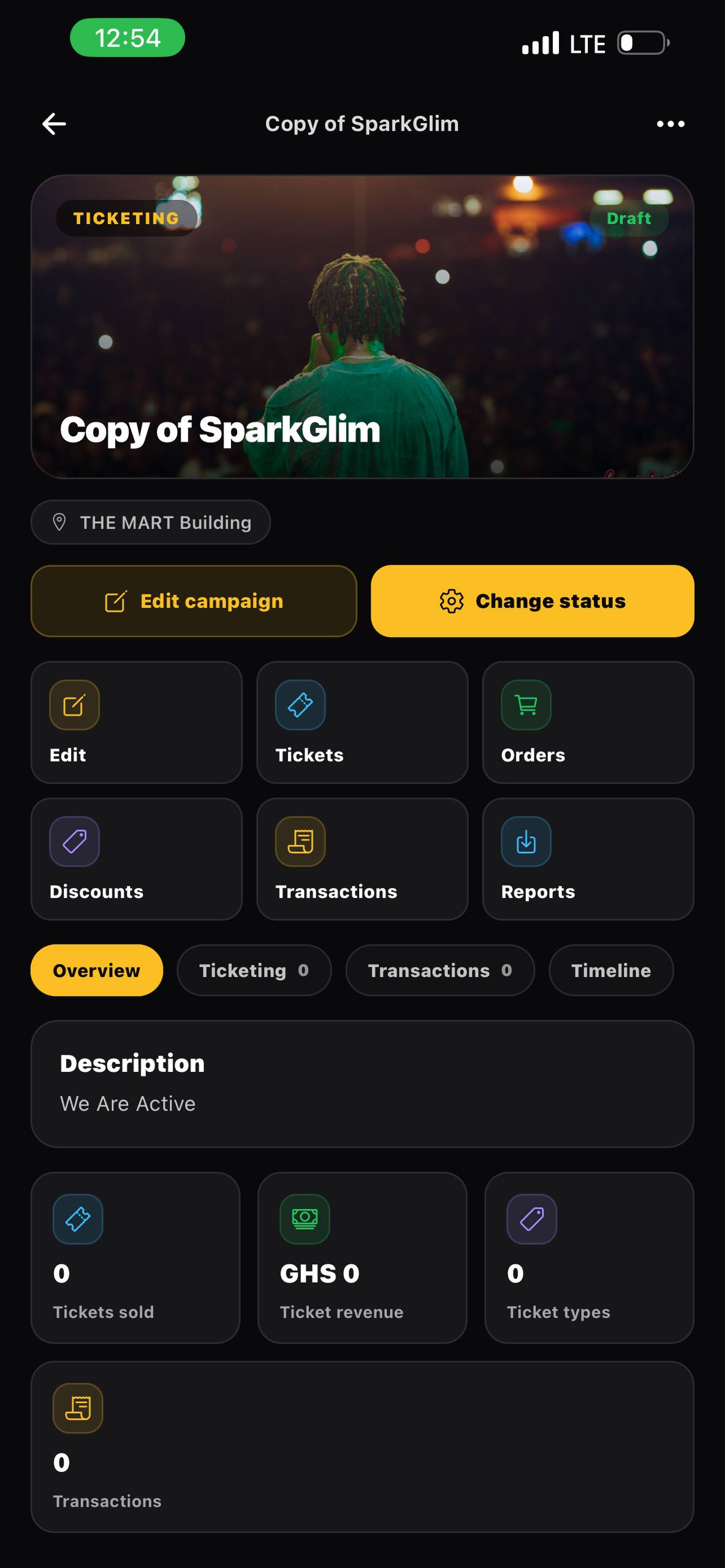
A major pitfall in digital campaign management is launching without real-world testing. Organizers should test the entire workflow on mobile devices first, as a significant portion of voters in regions like Accra, Kumasi, or Lagos transact primarily via smartphones. Utilizing mobile-optimized interfaces, such as the SparkGlim creator mobile app, allows administrators to monitor campaign performance, run test transactions, and view real-time statistics directly from their phones.
Once a voting campaign is live, modifying nominee details or changing category structures should be avoided. If a nominee must be removed due to disqualification or voluntary withdrawal, do not delete their entry entirely, as this can break transaction history and database relations. Instead, toggle their status to Inactive or Withdrawn to maintain clean ledger logs while preventing future votes.
Frequently Asked Questions
Can I add a new nominee after voting has already started?
While possible on some platforms, adding nominees mid-campaign can cause unfairness because early nominees have had more time to accumulate votes. If necessary, ensure you communicate the change clearly to your community.
How do I prevent voters from getting confused by too many categories?
Limit your campaign to a maximum of 10 to 12 categories if they are hosted on a single page. If you have more, consider splitting them into separate phases or sub-campaigns.
What is the best way to handle nominee withdrawals?
Rather than deleting the nominee from your backend database, change their status to 'Withdrawn' or 'Inactive'. This preserves past transaction logs and displays a clear message to voters.
Should I display nominee photos or are text names enough?
Photos are highly recommended because they build trust and ensure voters do not accidentally select a candidate with a similar name.
Building Trust in Your Digital Campaigns
Structuring your voting categories and nominee lists with care makes a substantial difference in voter participation and overall satisfaction. By standardizing your visuals, testing transaction flows, and maintaining tight control over changes, you build a transparent process that your community can trust. Ready to launch your next campus, corporate, or community election? Register an account on SparkGlim today to set up your custom voting campaigns, configure secure digital payments, and access real-time analytics dashboards.
Article gallery
Frequently asked questions
Can I add a new nominee after voting has already started?
While possible on some platforms, adding nominees mid-campaign can cause unfairness because early nominees have had more time to accumulate votes. If necessary, ensure you communicate the change clearly to your community.
How do I prevent voters from getting confused by too many categories?
Limit your campaign to a maximum of 10 to 12 categories if they are hosted on a single page. If you have more, consider splitting them into separate phases or sub-campaigns.
What is the best way to handle nominee withdrawals?
Rather than deleting the nominee from your backend database, change their status to 'Withdrawn' or 'Inactive'. This preserves past transaction logs and displays a clear message to voters.
Should I display nominee photos or are text names enough?
Photos are highly recommended because they build trust and ensure voters do not accidentally select a candidate with a similar name.
Found this helpful?



Comments (0)